What UC Irvine Libraries learned about making accessibility last
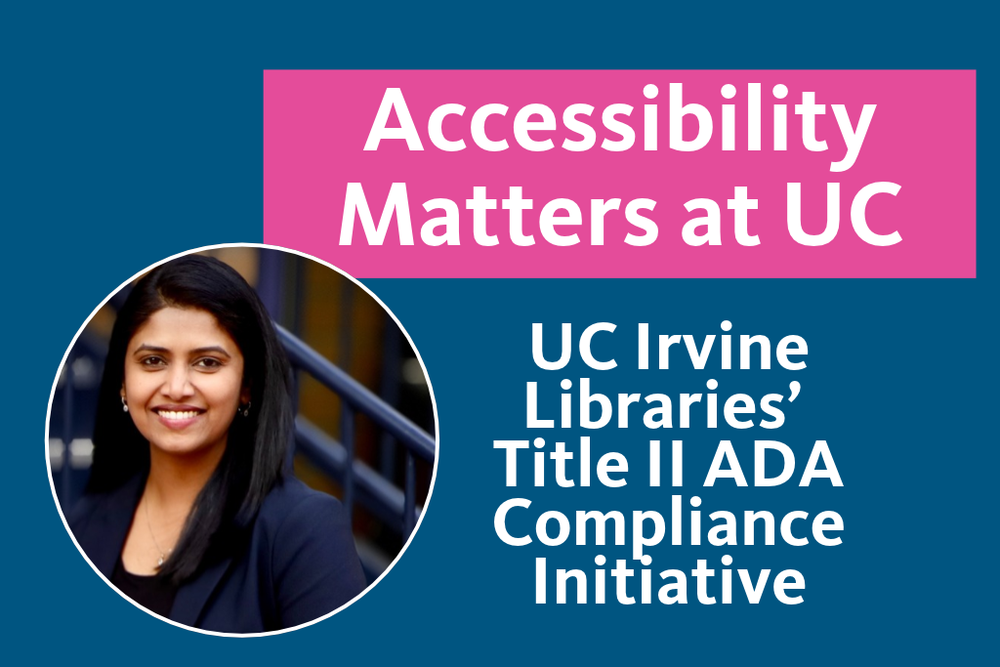
By Lakshmi Arunachalam, Library Services Platform Administrator, UC Irvine Libraries
Four days before our accessibility deadline, the deadline moved.
On April 20, 2026, the Department of Justice issued an interim final rule extending the Title II compliance deadline for large public entities from April 24, 2026 to April 26, 2027. The technical standard remained Web Content Accessibility Guidelines (WCAG) 2.1 Level AA, which sets requirements for making web content more accessible to people with disabilities.
Despite the DOJ extension, the University of California’s updated Information Technology Accessibility Policy was already in effect, and the UC Irvine Libraries’ compliance project was nearing completion. When the federal deadline moved, my reaction was not that the work could stop. By then, the project was less about meeting a deadline and more about changing how the Libraries build and buy technology and share online resources.
I served as project manager for UC Irvine Libraries’ Title II ADA compliance initiative from July 2025 through April 2026. This is what we learned, including the parts that were harder than the final metrics might suggest.
It was never just a website project
An academic library runs on far more systems than most people realize. The Libraries’ compliance project included nearly 30 monitored web properties, Springshare products such as LibGuides for publishing research guides and LibAnswers for online reference services, UC Library Search, a systemwide catalog search powered by Primo VE, digital collections, PDFs, videos, internal applications such as our staff work-ticket system, Interlibrary Loan workflows, and hundreds of licensed vendor platforms. Some systems are managed locally; many are not. With content created across almost every area of the Libraries, remediation alone was never going to be enough.
Part 1: Getting Everyone Moving in the Same Direction
Name everything before you fix anything
Before we could remediate at scale, we needed an inventory. For every system and type of content, we asked the same questions: Who owns this? Who creates or maintains the content? What can we change ourselves? What requires vendor action? Who follows up when something breaks later?
Those answers created clearer lanes of responsibility. Content owners could address headings, alternative text, and link text; Library IT could work on shared components and configuration; and product-level problems went back to vendors. We also reached out early to colleagues at other UC campuses and the California Digital Library. Sharing findings on common products reduced duplicated effort.
Use exceptions to focus, not to avoid the work
The Title II rule includes limited exceptions for certain archived content, older electronic documents not needed to access current services, qualifying third-party content, individualized secured documents, and preexisting social media posts.
We used those exceptions to focus our effort, prioritizing public-facing content, active services, heavily used materials, and the most significant barriers. That process helped us identify 181 priority PDFs instead of treating every historical document the same. Documenting those decisions early also helped us maintain scope.
The hardest part was not technical
The technical fixes were often easier than the organizational change. The harder part was asking busy people to change how they worked on top of everything else they were already doing. Some initially saw accessibility as an IT responsibility. Others were concerned about workload or simply did not know where to begin. To address this, we created opportunities for the Libraries’ staff to raise issues early, ask questions, and get technical help.
We also connected requirements to real user experiences: what happens when someone cannot access a resource, complete a task using a keyboard, or understand what a screen reader is announcing. That helped tie accessibility to the Libraries’ academic mission.
One moment when I realized the project was changing not just what we fixed, but how we worked, involved our online research guides, LibGuides. Over time, remediation shifted from one-off fixes toward helping guide owners understand and correct their own content, with Library IT supporting the technical issues. Support from Library IT and Libraries leadership was critical in reinforcing priorities, helping resolve barriers, and making accessibility a shared organizational responsibility rather than an individual or IT-only task.
A large part of my role became connecting people who understood different parts of the problem and keeping those conversations moving.
Training only matters if practice changes
Remediation without organizational change becomes a never-ending task. All 130 staff members in scope completed accessibility training, supported by practical guides, hands-on sessions, and follow-up help. The goal was not to make everyone an accessibility expert, but to help staff make better decisions about the content they create every day.
One thing we would do differently was measure behavior, not just completion, for example by spot checking new content a few months after training. Accessibility training is now part of employee onboarding, helping carry those expectations forward beyond the formal project.
Part 2: Behind the Scenes
Automated scores do not tell the whole story
Siteimprove was our primary web accessibility monitoring tool, with Axe DevTools supporting targeted technical review. By the end of the project in April 2026, every active public site met our internal monitoring threshold, and site scores had improved across the portfolio. Over the broader remediation effort, we also completed the remediation of all 181 priority PDFs and more than 300 public videos across four platforms.
Automated monitoring helped us identify patterns and track progress, but it could not tell us whether site visitors could complete a task. A strong automated score is useful as evidence of improvement, but it is not a declaration of WCAG conformance.
Put down the mouse
Manual testing gave us a different view. Our accessibility specialist led much of this work and helped teams understand which findings represented real accessibility barriers and how to address them. We conducted keyboard-only testing and used NVDA, a widely used screen reader, to evaluate how well our websites support keyboard and screen-reader interactions. Drawing on the WCAG Evaluation Methodology (WCAG-EM), we focused on whether users could complete common tasks rather than just checking individual page elements.
For LibAnswers, for example, we examined whether users could search for answers to common questions, such as how to reserve a study room or access resources from off campus, browse FAQs, and contact a librarian when they could not find what they needed.
We asked practical questions: Can users reach and operate the controls they need? Can they see keyboard focus? Does the navigation order make sense? Can users complete tasks without getting trapped? Using NVDA, we also checked whether controls and important changes were announced clearly.
Some of the most meaningful barriers were hard to identify through automated scans alone. Keyboard focus could be invisible or move unexpectedly, while important changes weren’t always communicated to screen-reader users. A page can pass a scan and still leave someone stuck without a mouse.
Vendor accessibility needs a different playbook
The accessibility of vendor systems and services, which is also covered under Title II compliance, was one of the hardest parts of the project because much of what our users rely on is licensed rather than built locally.
The Electronic Resources team within Technical Services at UC Irvine Libraries led the outreach, searching for publicly available Accessibility Conformance Reports (ACRs), typically completed using the Voluntary Product Accessibility Template (VPAT), and contacting vendors when none were available. In the end, 159 vendors responded, and reports were available for 128.
Library IT then evaluated those reports using a five-checkpoint review protocol. We looked at whether each document was a completed ACR, whether it covered WCAG 2.1 Levels A and AA, significant accessibility limitations, remediation plans and timelines, and how current the report was. Combined with resource usage, those findings produced preliminary low, medium, and high-risk ratings.
The initial review revealed a concerning pattern. Of the 53 documents examined, 35 reported limitations involving at least one critical criterion. Only three of those 35 included a dated remediation plan, and all three target dates had already passed. Another 16 had no report date. Many reports acknowledged accessibility problems, but few offered a timeline for addressing them.
Because ACRs reflect vendors’ own assessments, we treated them as a starting point for evaluating risk, not proof that a product was accessible. We now follow up as licenses come up for renewal and are working to strengthen accessibility language in license agreements.
Collaboration across UC Libraries was especially useful for shared products such as Springshare, helping us distinguish local implementation problems from product-level issues.
Some content does not fit a simple remediation workflow
The Libraries’ Interlibrary Loan service and Special Collections and Archives introduced another challenge: complex documents. For example, previously scanned documents may include non-English languages, equations, handwriting, or low-resolution or damaged source material. As a result, the effort needed to remediate them can vary dramatically.
One moment changed how I thought about the whole project. When working with Interlibrary Loan staff, we encountered a scan that would normally take less than 10 minutes to prepare for delivery but required roughly four hours of accessibility work. Even then, the scan was still not fully accessible. That was when it became clear to me that sustainability had to be part of the solution, not an afterthought.
A single remediation strategy simply does not work for every type of content. For some workflows, optical character recognition (OCR) can provide a useful baseline, but additional remediation or accommodation may be needed based on the user’s needs. For archived, handwritten, or legacy materials, decisions must also consider the nature of the collection and what meaningful access looks like.
AI: From technical support to broader accessibility work
People may assume a technology project like this relied heavily on AI. Ours did not. Auditing, prioritization, manual testing, and final validation were human-led. Generative AI played a supporting role, helping us investigate Siteimprove findings, explore fixes, correct HTML, and improve library email templates. We reviewed its suggestions and tested the results ourselves.
As the project progressed, we explored how AI could reduce manual work in ongoing remediation and review. Two areas stood out: reviewing vendor accessibility reports and remediating complex PDFs. For vendor reports, we developed a prototype AI-assisted application based on the risk assessment process established with the Electronic Resources team. That application helps staff examine the accessibility issues vendors report and identify missing information, so they know what to ask vendors next. While the application suggests a preliminary risk rating based on our criteria, the final risk assessments and decisions still belong to people.
PDF remediation led Library IT to develop EqualDocs, an in-house application that combines OCR, AI assistance, and tools for editing document structure and reading order. AI helps identify headings, lists, tables, and figures and suggests image descriptions. Staff then review and correct the results before exporting to HTML or tagged PDF.
Human review is essential. AI can produce convincing results while missing important context. For example, an image description might accurately describe what is visible but fail to describe what the image is meant to communicate. If accepted without review, these seemingly reasonable results can introduce new accessibility barriers.
Our takeaway so far is simple: AI can help reduce repetitive work and make ongoing accessibility efforts more manageable, but human expertise remains essential to ensuring the results are accessible.
What the final metrics do not show
The project was not as linear as the final numbers make it look. Some vendor barriers could be documented but not fixed locally. Complex PDFs may still require substantial effort to remediate. Manual testing took time and expertise. Training completion did not tell us whether content-authoring habits changed. Some of the work has also continued past the formal project and become part of regular operations.
In hindsight, I would recommend beginning vendor review and manual testing as early as possible and measuring training outcomes rather than completion rates alone.
Can everyone use this?
The formal project ended. The work did not.
Accessibility efforts now continue through monitoring, publishing standards, onboarding, and a process for users to report barriers.
This project changed how I think about technology work. The tools mattered, but so did persuasion, relationships, and the commitment of people across UC Irvine Libraries and the UC system. I am grateful to everyone who shared expertise, fixed content, tested systems, and asked difficult questions along the way.
The biggest shift happens when accessibility stops being something we check at the end and becomes a question we ask at the beginning: Can everyone use this?
Once that question becomes routine, accessibility is no longer a project with an end date. It becomes part of how we build and buy technology and share online resources.
About the Author

Library Services Platform Administrator
UC Irvine
Lakshmi Arunachalam is the Library Services Platform Administrator at UC Irvine Libraries and served as the project manager for the Libraries’ Title II ADA compliance initiative. Her work focuses on enterprise library systems, digital accessibility, systems integration, cloud technologies, and systemwide library technology initiatives across the University of California.
About the Accessibility Matters at UC series
We heard you! When we reviewed our content survey results, one message came through clearly: there’s a growing need for more focus on accessibility. And you’re right—accessibility affects everyone! Follow along as we share stories that highlight why accessibility truly matters at UC. Do you have a story to contribute to the series? Submit an intake form! Submit a UC Tech News blog intake form found here.