We heard you! When we reviewed our content survey results, one message came through clearly: there’s a growing need for more focus on accessibility. As you’re right—accessibility affects everyone! In the coming months, we will be sharing more stories that highlight why accessibility truly matters at UC.
Let’s Do Accessibility Right. Now.
Accessibility progress doesn’t usually come from sweeping changes. It comes from small, consistent habits—shared, modeled, and reinforced across communities. Across UC, practitioners are proving that accessibility is not a specialized role or a final remediation step, but a collective practice that can be integrated into everyday work right now.
“I know it can be helpful for people. I can help you.”
Geoff Daily, a Digital Communications Specialist at UC San Francisco, didn’t set out to become an accessibility expert. Instead, he gradually expanded his skills, learning enough to support colleagues in real time. “I think I’ve learned enough where I might be able to provide some help,” he says. “I have the technical background of updating sites, so I understand the Drupal and WordPress backends. I’m kind of impatient in my own way, so I know it can be helpful for people. I can help you. That’s like a five-minute problem, instead of having to wait and submit a ticket.”
Daily regularly attends accessibility office hours and trainings, not just to improve his own work, but to reduce friction for others. “If you just Google or use AI, it’s a tricky space if you aren’t well-versed,” he explains. “You’ll get conflicting information.” By building shared knowledge in the community, he helps make accessibility feel more approachable for people who aren’t “all in” on the technical side but still want to do their jobs responsibly.
Jessica Hilt, Developer Experience Manager at UCSF, sees the impact of this consistency. “What stands out is how this small, consistent habit has created a meaningful impact. By showing up, Geoff stays informed about evolving best practices, learns practical techniques he can apply immediately to his own content, and helps troubleshoot challenges others face. Accessibility becomes less of a checklist and more of a shared practice.”
What you can do now:
- Attend accessibility office hours or training courses, even occasionally.
- Share what you learn with colleagues in informal, practical ways.
- Offer “just enough” help that lowers barriers for others.
Shifting Accessibility Upstream
Daily also recognizes a critical challenge: too much accessibility work happens at the end of the process. “The people coming to trainings are often the ones updating websites, not the ones creating the content in the first place,” he sees. That creates a downstream remediation problem rather than an upstream design problem.
Training content creators at scale is difficult, especially under time and funding constraints. The solution isn’t purely technical. When asked where the conversation should start, Daily surmised, “You know, maybe not in the IT department. I feel like they’re a component, but currently, it seems like they’re the head of it. It’s maybe misplaced for what is needed on this scale. We haven’t addressed training the people creating documents to begin with at scale yet.”
That gap matters as the April 24, 2026, ADA Title II enforcement deadline approaches. While accessibility standards like WCAG and the UC Information Technology Accessibility Policy have existed for years, the shift now is accountability. As Amy Ahlers at UC Berkeley’s Research, Teaching, and Learning unit notes, instructors are navigating new clarity around their responsibilities across learning management systems and course materials.
What you can do now:
- Build accessibility into content creation, not just remediation.
- Advocate for training where content is produced, not just fixed.
- Normalize accessibility as part of everyday workflows.
“We help folks take a plus-one mentality.”
For instructors and staff feeling overwhelmed, the UC Davis Quick Access blog series offers a model for immediate action. Organized by Margaret Merrill, Joshua Hori, and Katie Healey, the series focuses on one small, concrete improvement at a time, especially within tools people already use.
“We know this is overwhelming,” Merrill, UC Davis Senior Instructional Design Consultant, says. “We help folks to take a plus-one mentality about it, one concrete step.” Each short blog post, under 275 words, highlights built-in accessibility features in common tools like Google Docs, PDFs, slides, video platforms, and STEM content software.
Healey, an Accessible Course Design Specialist at UC Santa Barbara, emphasizes that accessibility doesn’t require advanced technical knowledge. “If you’ve never navigated a document, course, or website with a screen reader finding out that you have to tell your slides which order to read things in… It’s not difficult, but a lot of people are like, I had no idea.”
The goal is a mindset shift: accessibility as an integral part of teaching and communication, not an add-on. Merrill offers a personal example: using built-in headings and list styles in Google Docs. “It takes one extra click,” she says. “But now it’s part of my workflow. No remediation is needed because I planned for accessibility from the start.”
What you can do now:
- Use built-in styles, headings, and accessibility checkers.
- Focus on high-impact changes that help many people at once.
- Add one small change as part of your normal workflow.
Accessibility Helps Everyone Interact with Content
Josh Hori, an Accessibility Tech Analyst at UC Davis, spent 18 years making course materials accessible in response to student needs. “I understand feeling overwhelmed from these instructors, because that was my every quarter,” he shared. However, “we never allowed that to stop us. We always found a solution for the student. And it was always just a matter of, ‘Well, you gotta try it.” When instructors worry that accessible formats might enable cheating, Hori gently pushes back. “It doesn’t help them cheat,” he explains. “It helps them interact with the content.” Screenreader compatibility, captions, and structured documents support students with disabilities—and anyone navigating complex information.
That broader impact is why the Quick Access blog focuses on actions that help multiple demographics at once while moving forward in technology.
Reflecting on the current mood of the higher education landscape with the approaching Title II changes, Healey hopes “that as our faculty are forced to grapple with their course design right now with the new mandate, that they’ll also be open to thinking about how else they can support learners, whether or not that’s technically digital accessibility, or if it’s universal design for learning. We typically teach the way we were taught, and we were not taught in very accessible ways, in my opinion. This can be a powerful moment for changing education.”
Hori is also exploring how emerging tools, including AI, can support accessibility, like helping with handwriting in PDFs, while emphasizing that technology works best when guided by accessible source content.
What you can do now:
- Remember that accessibility improves usability for everyone
- Prioritize clarity, structure, and flexibility in course design
- View technology as a support, not a replacement, for usable design
Centering Lived Experience and Disability Justice
Beyond tools and techniques, accessibility requires listening. Finding Space, a podcast from UC Berkeley’s Center for Teaching and Learning, centers the voices of students, educators, and staff with disabilities. Hosted by Tracie Allen, Access & Innovation Strategist at the UC Berkeley Center for Teaching & Learning (CTL), the podcast reframes accessibility from one of legal compliance to disability justice.
Allen began by making her own documents accessible while supporting students and instructors. Reflecting on the process of shifting campus culture, she says, “I’ll be lucky if I see a shift in a decade, especially in our kind of space. That’s where Finding Space came about… We want to be about inclusive excellence, and so that’s the foundation.” Finding Space invites listeners into conversations about advocacy, inclusion, and collective responsibility.
The podcast’s latest episode, “Top 5 Things Instructors Can Do Now to Meet the Requirements,” was intentionally framed to make accessibility approachable, even swapping “compliance” for “requirements.” “The word ‘compliance’ stresses people out. You can feel it, even if an instructor doesn’t tell you that it’s a burden. Just through their language usage, you can tell,” Allen explains. “Language matters. We create a vibe in how we talk about accessibility.”
Each episode is paired with workshops and one-page handouts so participants can bring conversations back to their departments. “If you’re listening and talking to others about this, you’re participating in disability justice,” Allen says. “That’s how change happens: we disrupt the norm by having conversations.”
What you can do now:
- Listen to disabled voices and lived experiences
- Talk about accessibility with colleagues and departments
- Shift conversations from obligation to participation
Starting Where You Are
From Geoff Daily’s informal peer support to Quick Access’s microhabits, to Finding Space’s storytelling and dialogue, these efforts share a core message: you don’t need to be an expert to make a difference. You just need to start.
Accessibility improves when people show up, stay curious, and build community around shared learning. Whether you add headings to a document, caption a video, attend a training, or start a conversation, each action moves us closer to meaningful inclusion.
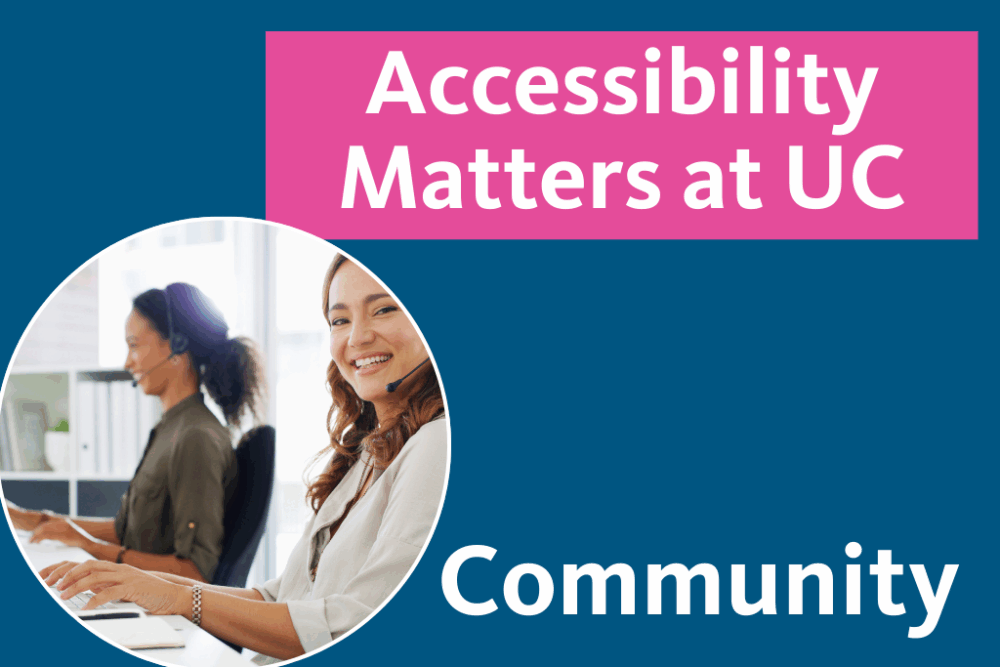
Community is one of our most effective accessibility tools—and it’s available to all of us, right now.
Author
Jamie Herrera
Accessibility Program Manager
UC Office of the President